Analyser
Budget Analyser


Modern, cross-platform budget analysis app built with Tauri v2, React, FastAPI, and pandas. It processes bank statements (CSV), categorizes transactions using JSON keyword mappings, stores data in SQLite, and presents interactive reports with light/dark theme support.
Downloads
Pre-built desktop apps are available for Windows and macOS:
| Platform | Download |
|---|---|
| Windows | Latest Release (.exe) |
| macOS (Apple Silicon) | Latest Release (.dmg) |
See Releases for all versions.
macOS Installation (Gatekeeper Bypass)
When you first open the app on macOS, you may see a warning: “Apple could not verify ‘Budget Analyser.app’ is free of malware”. This is because the app is not signed with an Apple Developer certificate.
To open the app:
- Right-click (or Control-click) on
Budget Analyser.app - Select “Open” from the context menu
- Click “Open” in the dialog that appears
This only needs to be done once. After that, the app will open normally.
Alternative method (Terminal):
xattr -d com.apple.quarantine "/Applications/Budget Analyser.app"
Screenshots
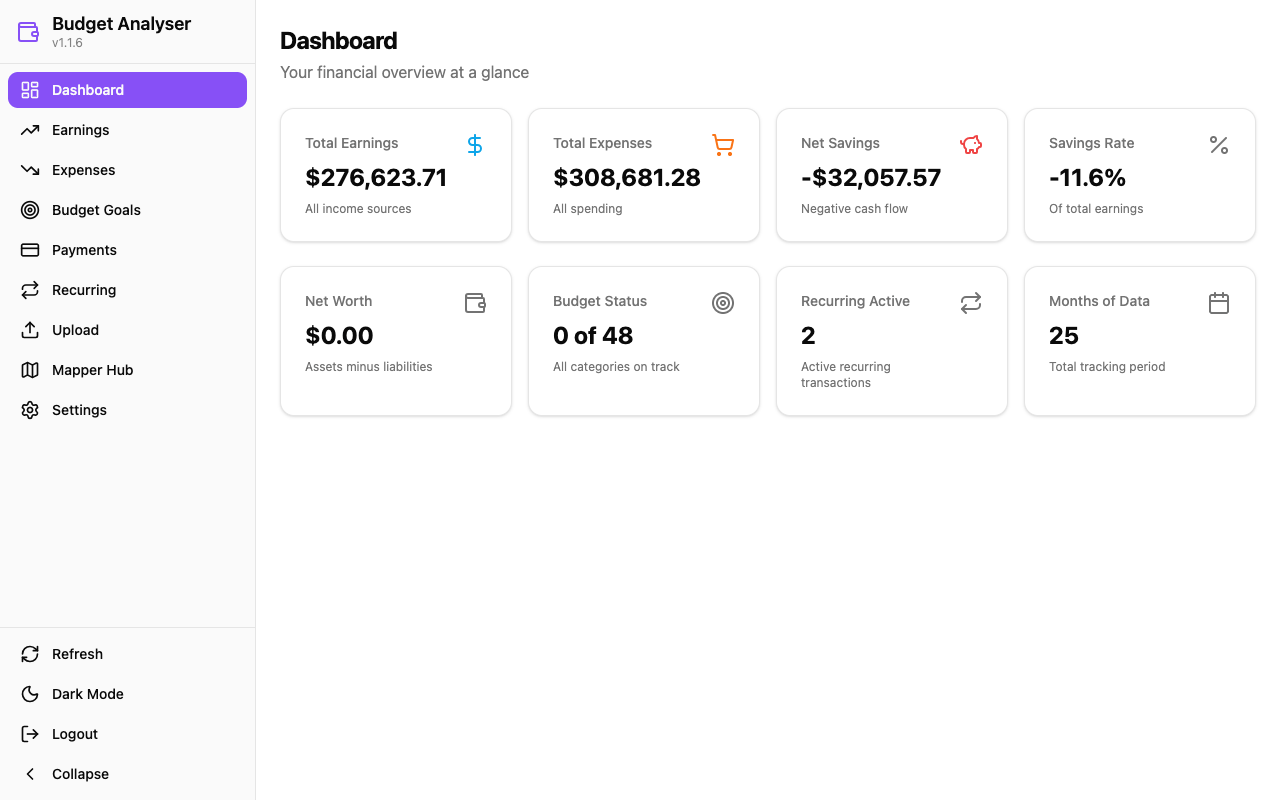
Dashboard
Financial overview with earnings, expenses, net savings, budget status, and recurring transaction summaries.
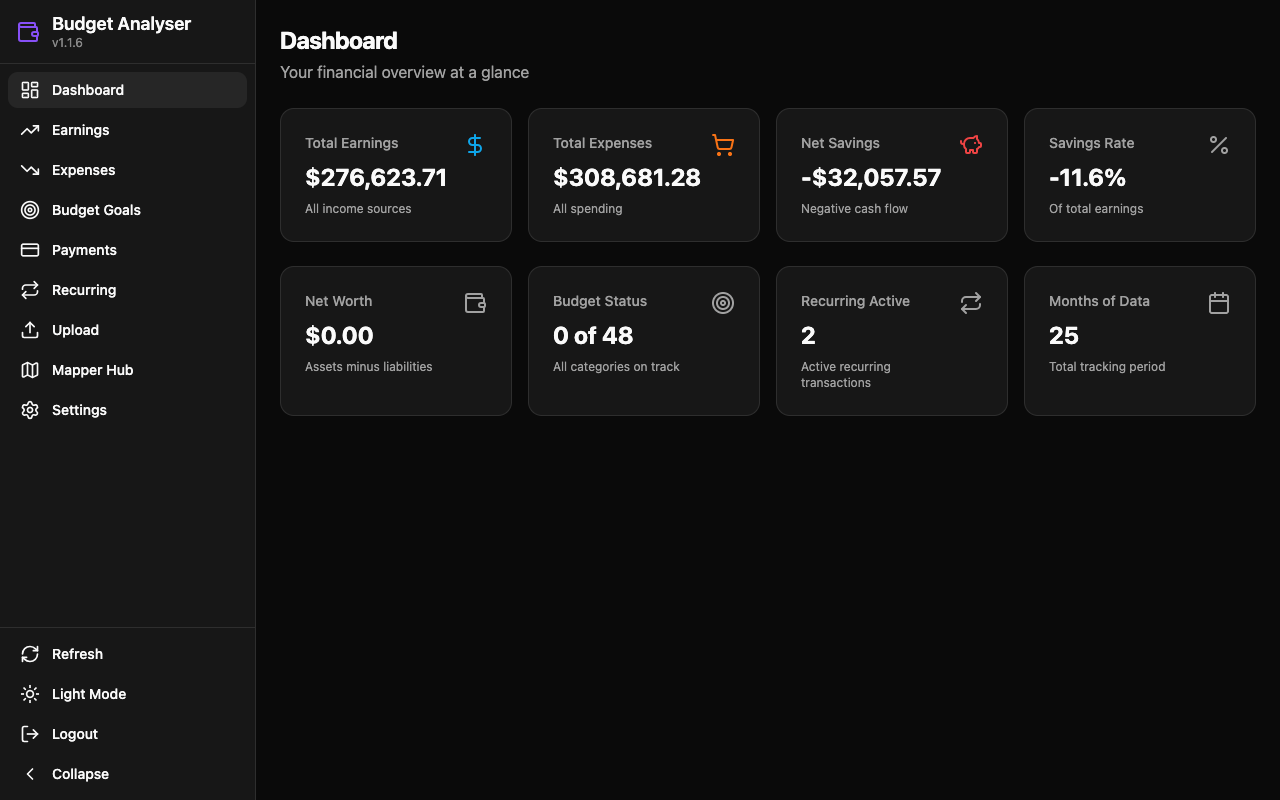
Dark Mode
Full dark theme support across all pages.
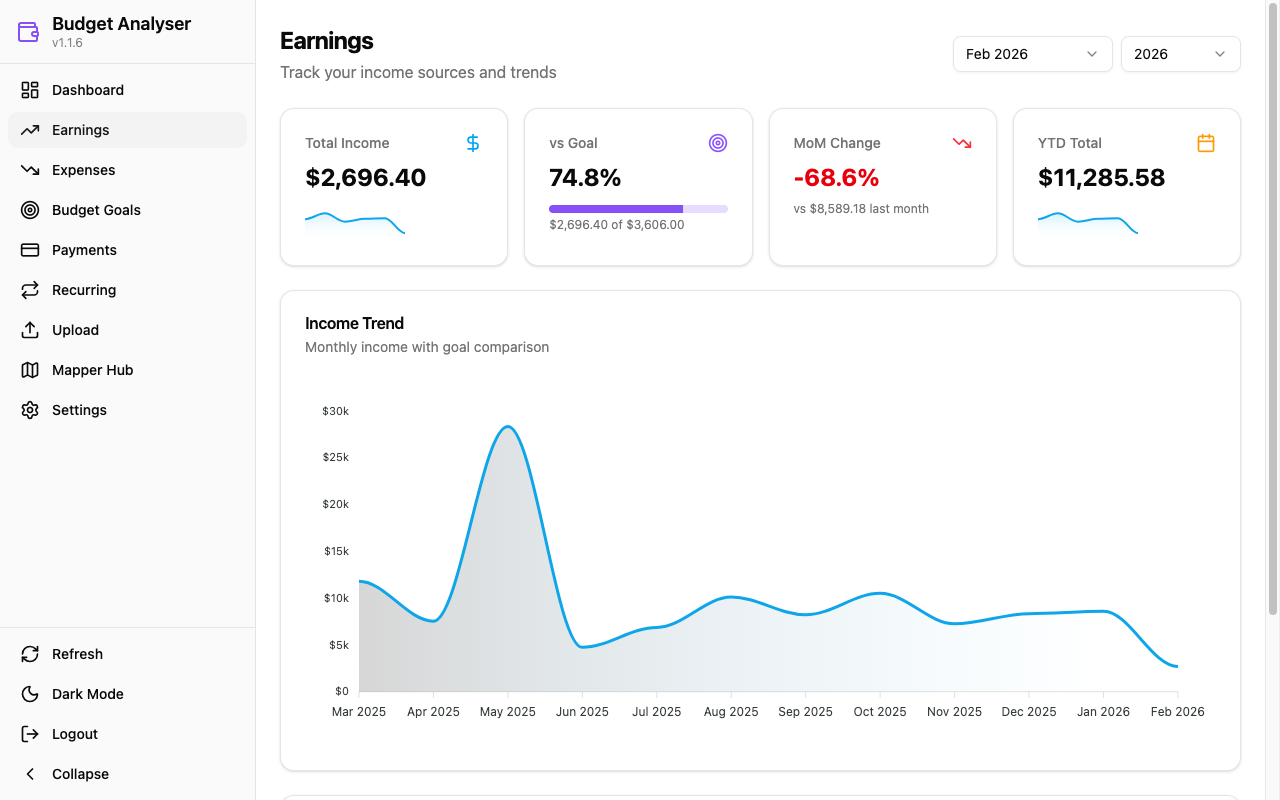
Earnings
Track income sources with trend charts, goal progress, month-over-month comparisons, and YTD totals.
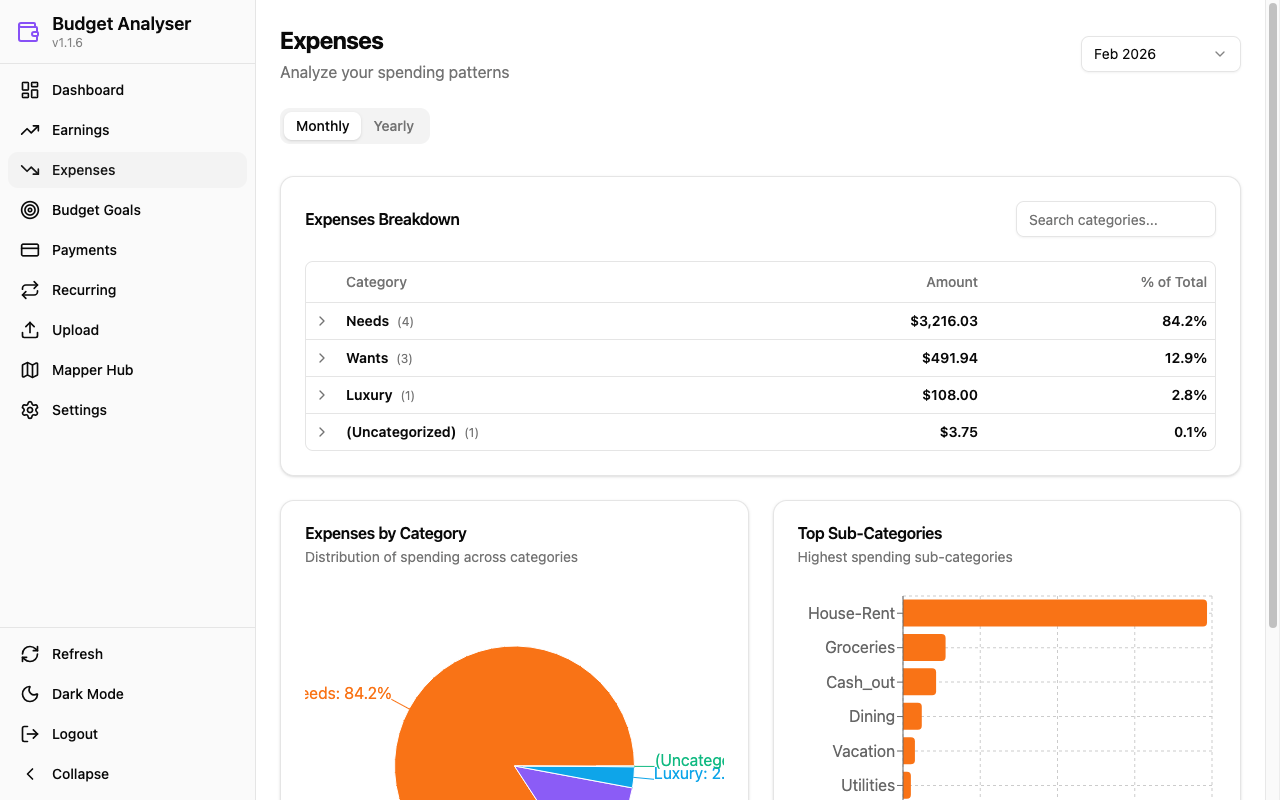
Expenses
Analyze spending with category/sub-category breakdowns, pie charts, and horizontal bar charts.
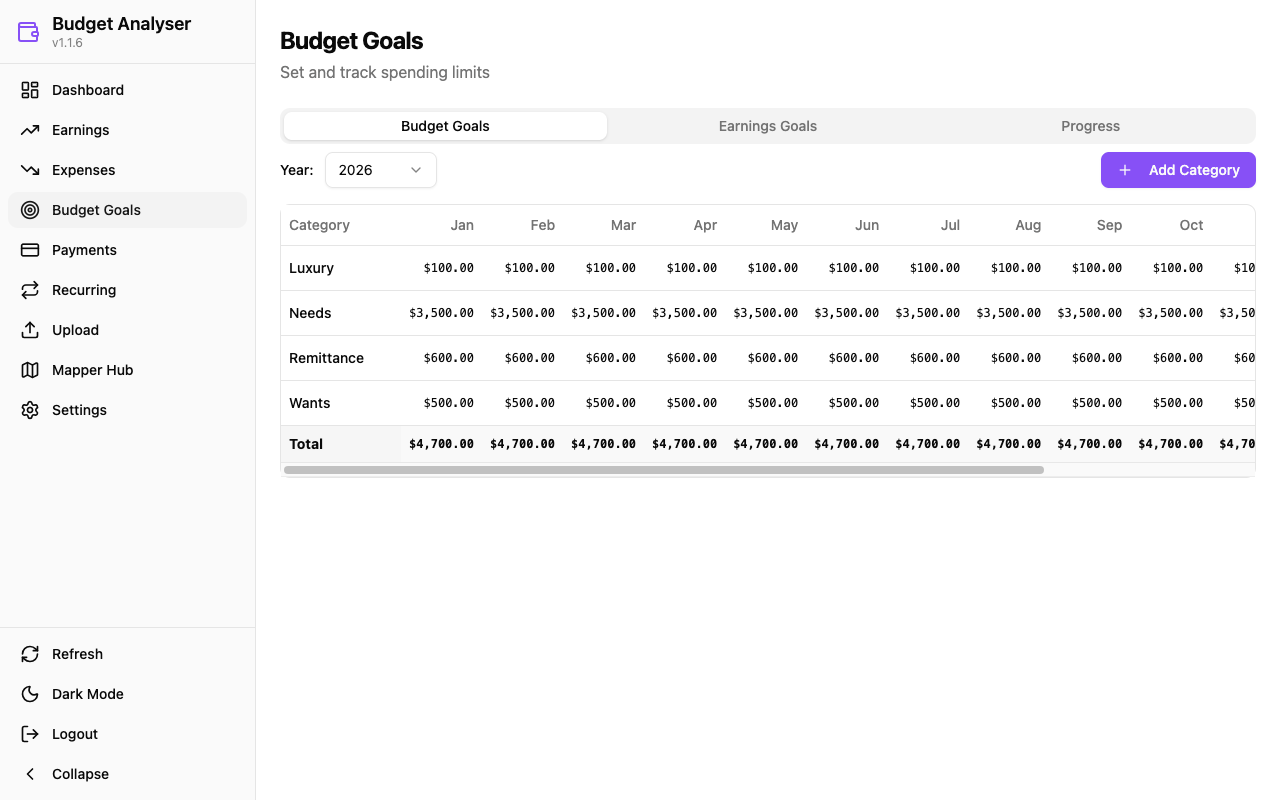
Budget Goals
Set and track monthly spending limits per category with an editable 12-month grid.
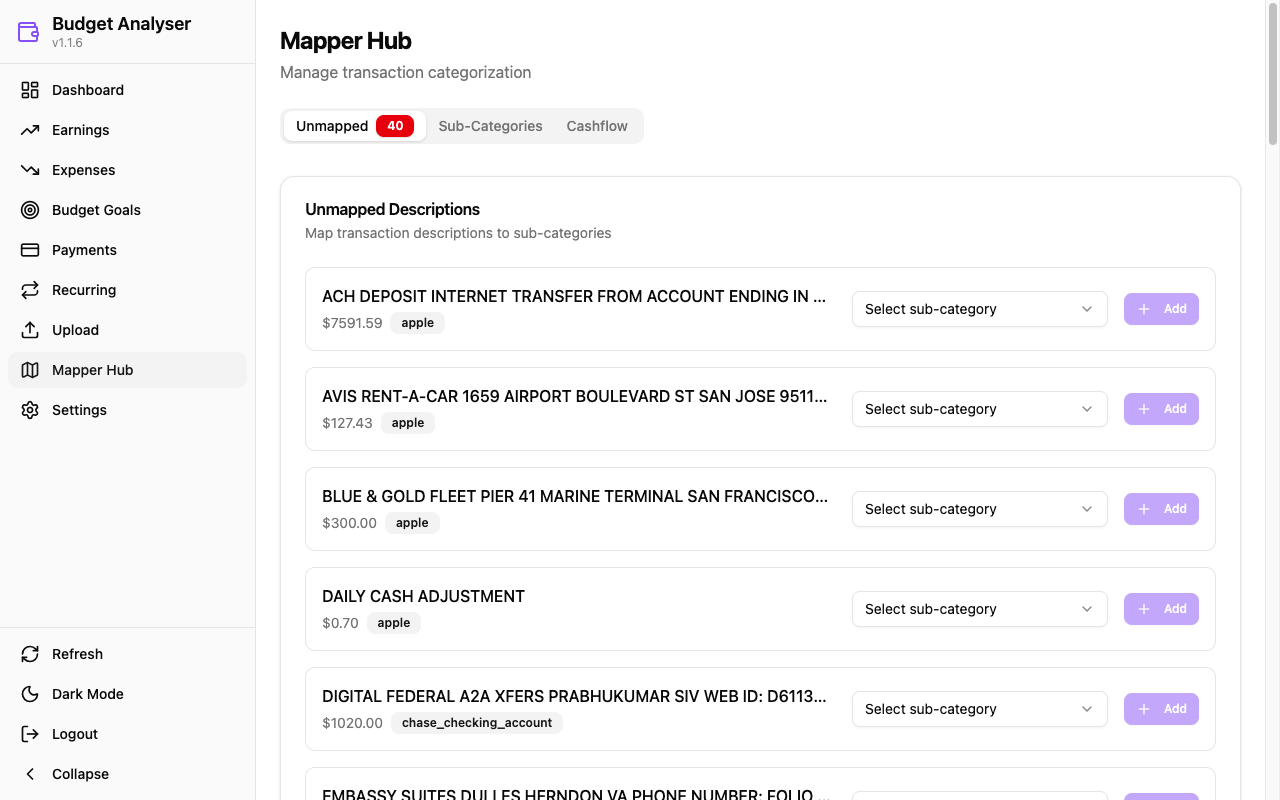
Mapper Hub
Categorize unmapped transactions by assigning sub-categories with keyword-based matching.
Highlights
- Dashboard with earnings, expenses, net savings, savings rate, net worth, budget status, recurring transactions, and data coverage
- Earnings & Expenses pages with month/year selectors, trend charts, goal tracking, and hierarchical category breakdowns
- Budget Goals with editable monthly budgets per category and earnings goal tracking
- Payments Reconciliation comparing payments made vs payment confirmations per month
- Recurring Transactions with cost trend analysis and category breakdown charts
- Mapper Hub for categorizing unmapped transactions with sub-category assignment
- Upload page for importing new bank statements (CSV)
- Settings page for password management and logging configuration
- Light/Dark theme toggle with persistence
- Export support for CSV, Excel, and PDF
Tech Stack
| Layer | Technology |
|---|---|
| Desktop Shell | Tauri v2 (Rust) |
| Frontend | React, TypeScript, Vite, Tailwind CSS, shadcn/ui |
| Charts | Recharts |
| API | FastAPI (Python) on port 8741 |
| Data Processing | pandas |
| Database | SQLite |
| Testing | pytest (backend), Playwright (E2E) |
| Package Manager | uv (Python), npm (frontend) |
Architecture
Vertical feature slices with 13 self-contained feature modules. Each feature owns its layers: models.py (DTOs + data access) and service.py (business logic).
src/budget_analyser/
├── api/             # FastAPI REST API (17 routers)
├── core/            # Shared protocols, errors, DB utilities
├── features/        # 13 vertical feature slices
│   ├── budget_goals/    ├── net_worth/
│   ├── recurring/       ├── savings/
│   ├── forecasting/     ├── trends/
│   ├── export/          ├── payments/
│   ├── reporting/       ├── mappers/
│   ├── ingestion/       ├── recategorize/
│   └── settings/
├── settings/        # Configuration
└── data/            # App data (config, mappers, statements, DB)

src/frontend/
├── src/             # React + TypeScript
│   ├── api/hooks/   # React Query hooks
│   ├── components/  # Reusable UI components
│   └── pages/       # 13 page components
└── src-tauri/       # Tauri Rust shell
Data flow:
- CSV files → Bank-specific formatter → Transaction processor → SQLite DB
- SQLite DB → Feature services → FastAPI → React frontend
Entry point: python -m budget_analyser → uvicorn serves FastAPI on port 8741
Supported Banks
Bank-specific formatters handle different CSV column layouts:
- Citi (custom formatter)
- Discover (custom formatter)
- Chase, Bilt, Apple Card (default formatter)
Column mappings are configured in budget_analyser.ini.
Install
Prerequisites: Python 3.10+, Node.js 18+, Rust (for Tauri builds).
# Backend dependencies
uv sync --group dev

# Frontend dependencies
cd src/frontend && npm install
Run
# API server only
uv run python -m budget_analyser

# Full desktop app (Tauri + React + API)
cd src/frontend && npm run tauri dev

# Frontend dev server only (connects to API on port 8741)
cd src/frontend && npm run dev
Run Tests
# Unit tests (required before committing)
uv run pytest src/test/unit/ -q

# All tests with coverage
uv run pytest --cov=src/budget_analyser

# E2E tests
cd src/frontend && npm run test:e2e

# Linting
uv run pylint src/budget_analyser
CI runs the full test suite on Linux/macOS/Windows across Python 3.10-3.12 via GitHub Actions.
Configuration & Logs
- Config INI:
src/budget_analyser/data/config/budget_analyser.ini - Statement dir:
src/budget_analyser/data/statements/ - JSON mappings:
src/budget_analyser/data/mappers/*.json - Database:
src/budget_analyser/data/budget_analyser.db(SQLite) - Logs:
src/budget_analyser/data/logs/gui_app.log(rotating; override viaBUDGET_ANALYSER_LOG_DIR)
Notes on Data & Signs
- Domain reporting enforces signs: Earnings shown as positive, Expenses as negative.
- “payment_confirmations” are excluded from Earnings; “payments_made” are excluded from Expenses in standard reports (still visible in Payments page).
Versioning
Budget Analyser uses semantic versioning (Major.Minor.Patch):
| Version Part | Update Method | Example |
|---|---|---|
| Patch (x.x.X) | Automatic on push to main | 1.0.5 → 1.0.6 |
| Minor (x.X.0) | Manual: git tag -a v1.1.0 -m "..." |
1.0.6 → 1.1.0 |
| Major (X.0.0) | Manual: git tag -a v2.0.0 -m "..." |
1.1.0 → 2.0.0 |
Developer Mode
Set eng_ver = 0 in pyproject.toml to disable auto-increment during development:
[tool.budget-analyser]
eng_ver = 0  # Developer mode - no auto-increment
Set back to eng_ver = 1 for production releases.